Log. Film. Analyze. Compare.
Watch yourself get stronger. Log every set and film the ones that matter: each video stays welded to its weight and reps. Trace the bar path in one tap, then put this week beside last week. Your records, trends and programs live there too.
First 1,000 accounts get a year of Unrack Pro free
Where it lives
Your lifts don't belong in your camera roll
A camera roll files by the day you happened to shoot. Unrack files by the movement you happened to lift, and keeps the numbers attached.
Camera roll
Everything · by date
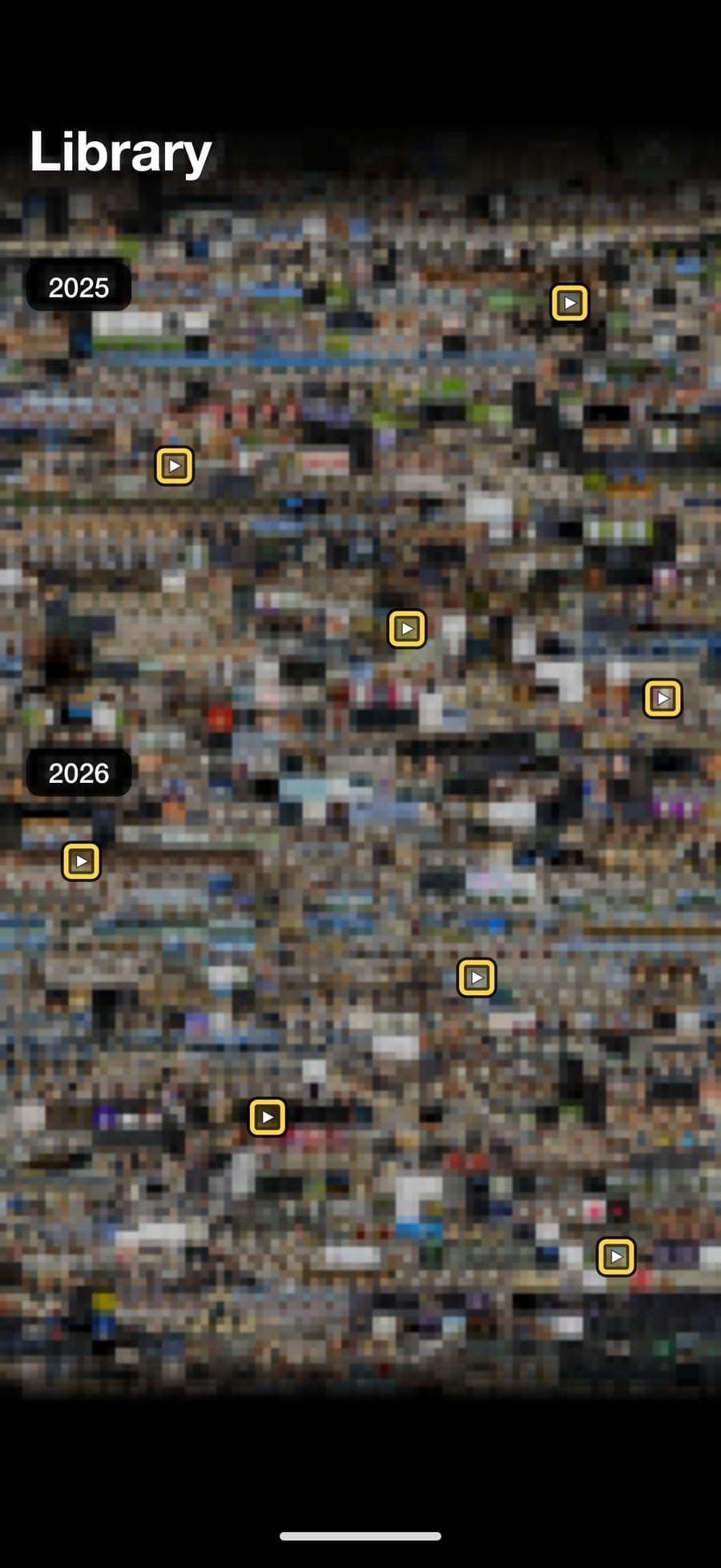
Your lifts are in here, somewhere
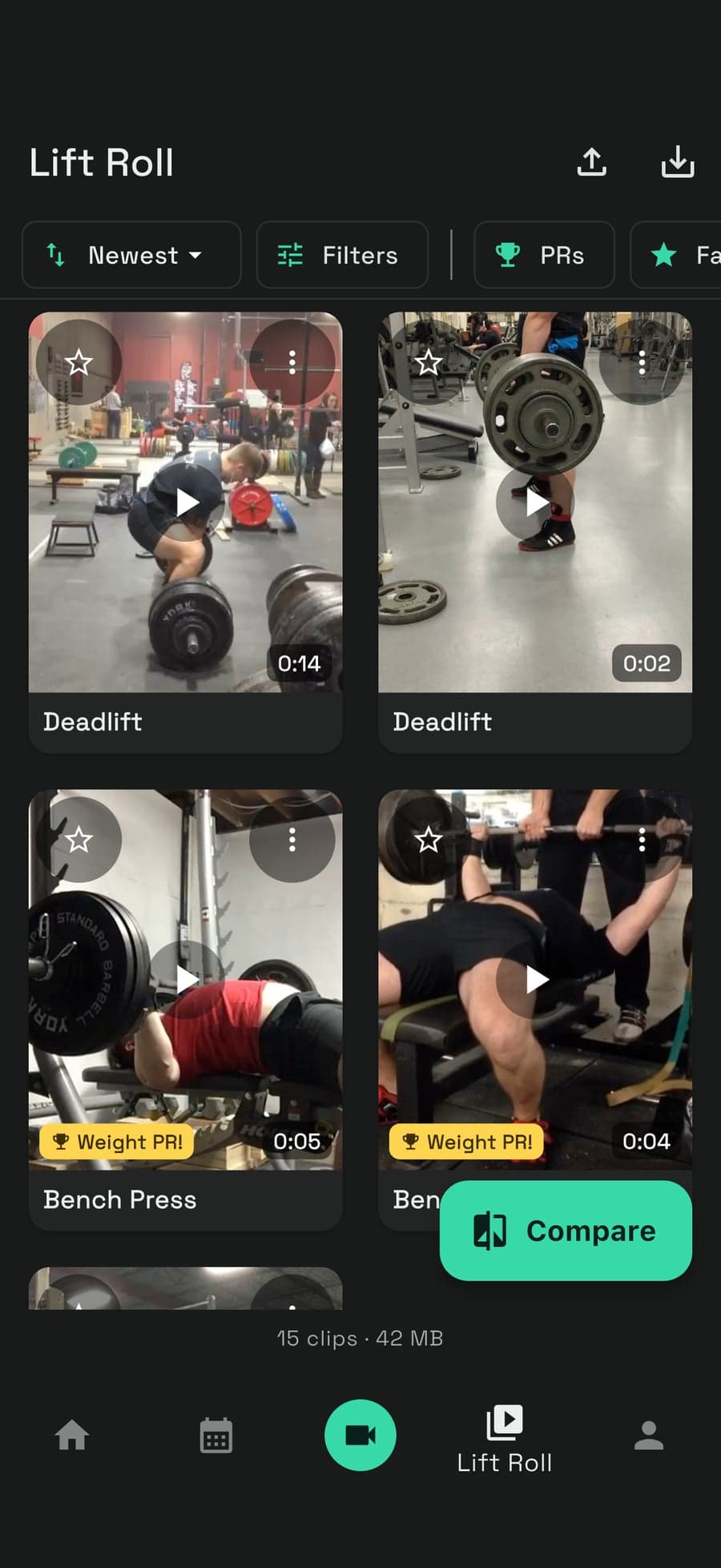
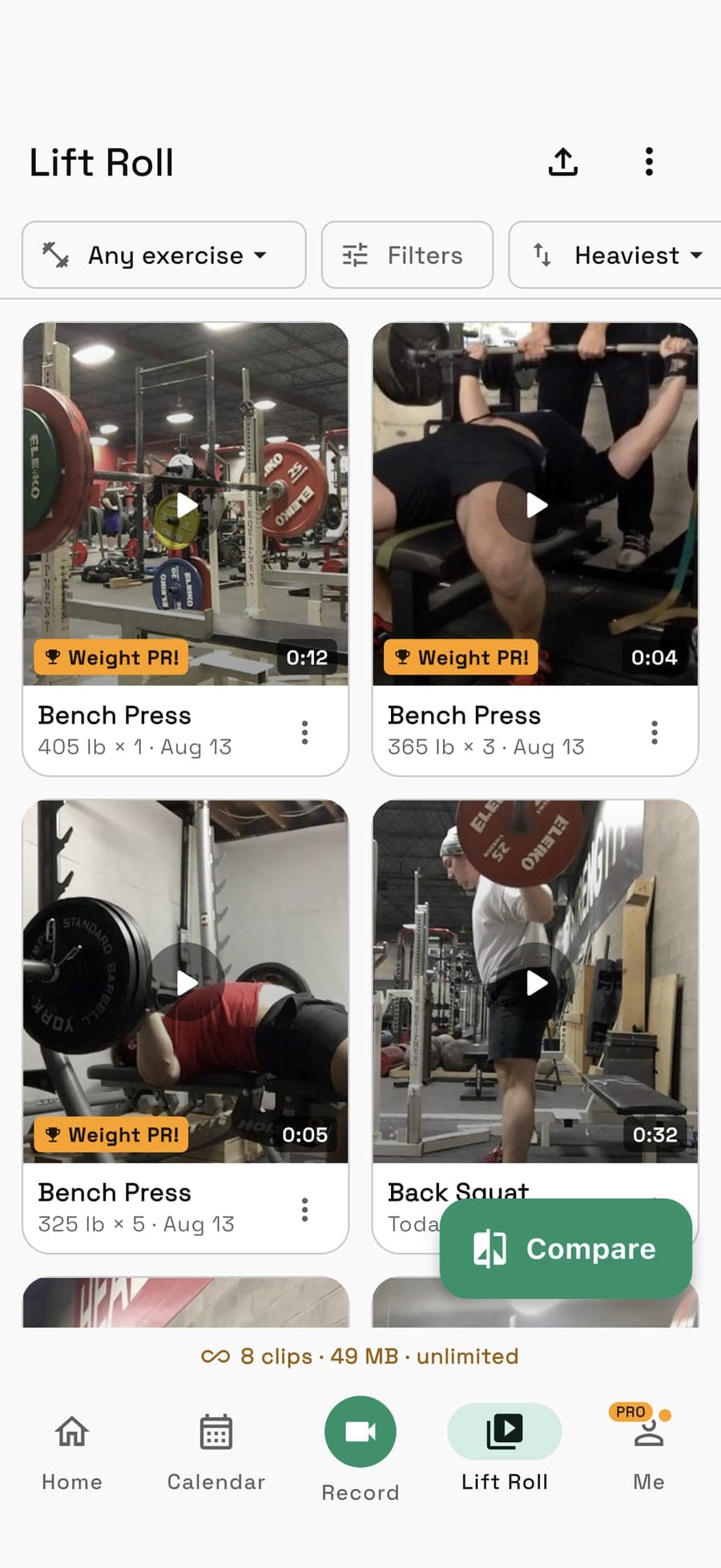
Lift Roll
By exercise · heaviest first
Bring your history
Export from Hevy or Strong, import into Unrack. Your whole log lands, sets and reps and all.
Take it all back out
Export your workout data and your videos whenever you want. Living in Unrack isn't the same as being stuck there.
The difference
The video knows the weight
Coaching apps staple a video to a message. Analysis apps give you footage in a folder with no idea what a rep is. Every other tracker logs the numbers and forgets the lift was ever on film.
Unrack keeps them as one thing: the set is the video is the data.
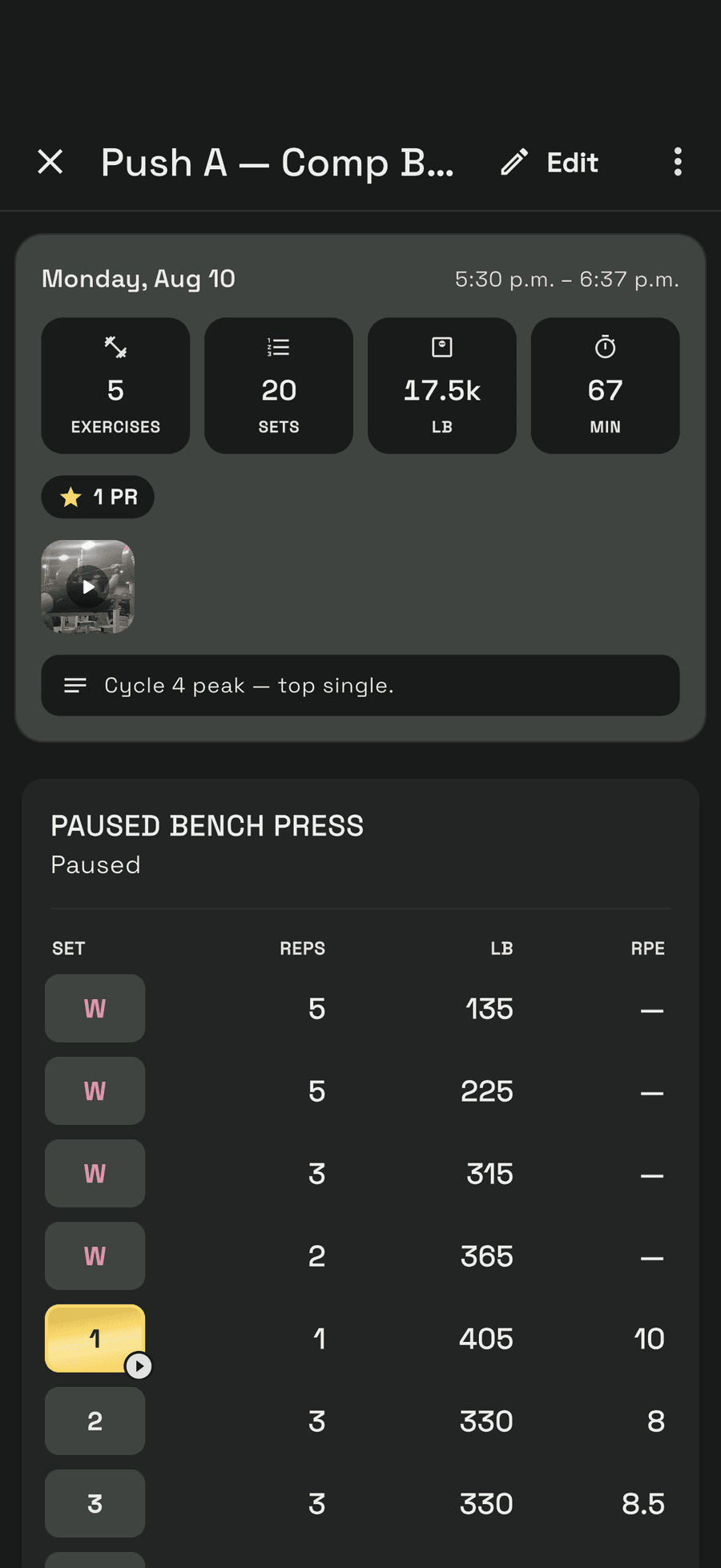
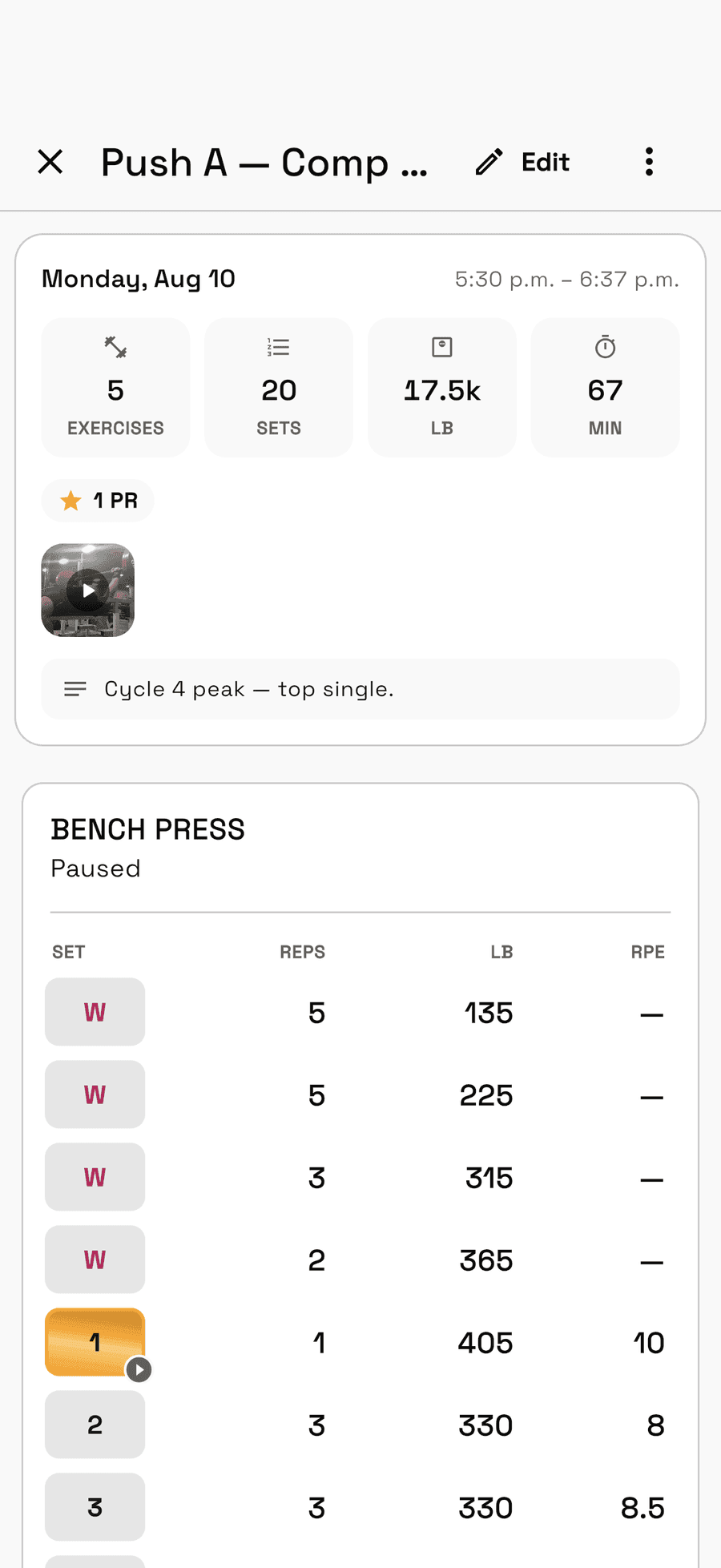
- Reps, weight, RPE, tempo and duration, per movement
- Supersets and variations, the way you actually train
- PRs detected, not entered. Warmups don't count.
- Rest timers that go off with your phone in your pocket
- A record book per movement and per rep count
- Top set and estimated 1RM, charted over your history
Bar path
NewSee where the bar actually went
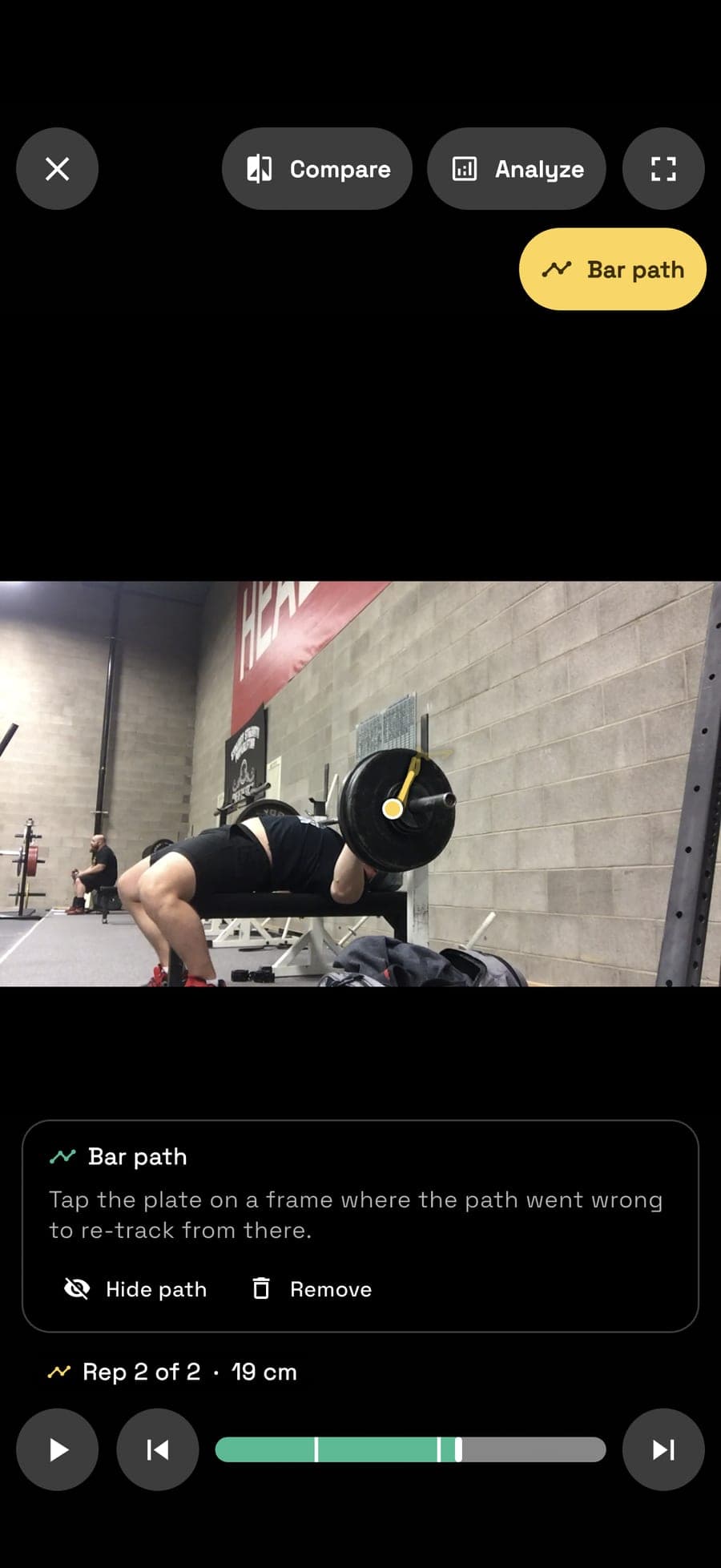
Unrack follows the plate through the whole clip, draws the bar's path over your lift and times every rep, so you see how far the bar went and how fast.
It finds the plate
Open a clip and Unrack looks for the plate itself. When it's sure, it tracks on its own; when it isn't, one tap on the plate does it.
Speed you can see
The path is drawn over the footage in step with the video, red where the bar slowed and gold where it flew.
Every rep, measured
Range of motion, bar speed, and how long you took to lower and drive, rep by rep, with how much speed the set lost by the end.
Your max, from bar speed
Track a few sets at different weights and Unrack draws your load-velocity line and reads an estimated max off it, for bench, squat and overhead press.
Reads the lift, not just the line
It knows a squat from a deadlift, so it can tell you the hips rose first, the bar swung off the floor, or a press arced the way it should.
Share the path
Send the set as a card: your frame, the path over it in colour, and the numbers beside it. Two traced clips also sit side by side in Compare.
Filmed handheld? A little camera wobble is taken out of every figure. Lost the plate behind a spotter? Tap it on the frame where the path went wrong and it re-tracks from there. Paths are worked out on your phone and stay on it; a short summary of each rep is saved with the clip.
Your first traced clip is free. Every one after it is Pro.
Unrack films at 60 fps where your phone allows, which is what lets it show peak speed and power. Phone video reads speed a little high, so compare clips filmed from the same spot rather than against a sensor.
How it works
Four steps, and it's on film forever
Filming a set is how you log it. The video and the numbers are the same entry, kept for good.
Film it in the app
Record the set inside Unrack. It never hits your camera roll. It goes straight to your account.
It binds to the lift
Exercise, weight, reps, RPE and date, stamped to that set. Not stapled to a workout. Bound to the lift.
It lands in your Lift Roll
Every squat you've ever filmed, in one place, sorted by exercise, each clip carrying its numbers.
Put two side by side
Same lift, different days. Run two clips on one timeline, or trace the bar through a single rep.
Compare & Analyze
Two lifts, one timeline
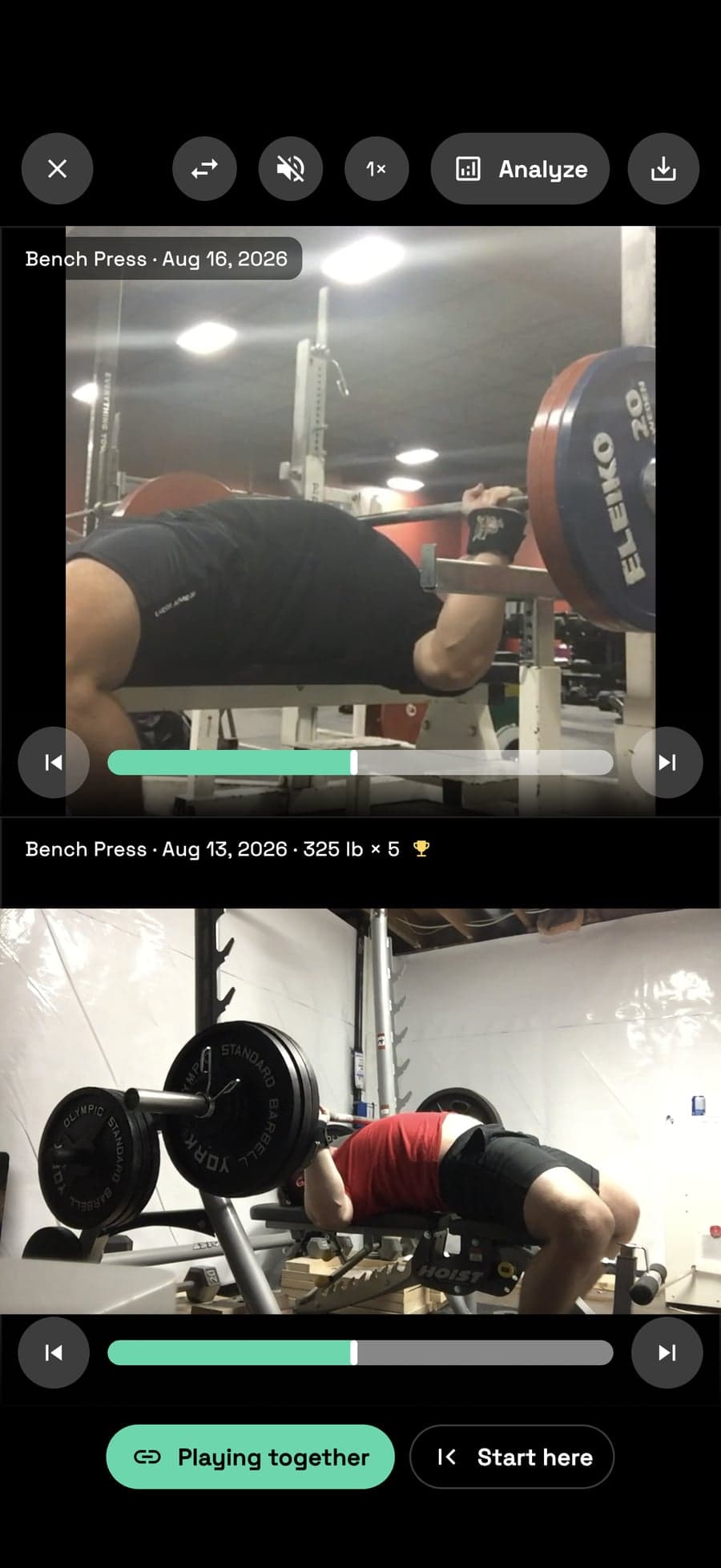
Pull up any two clips of the same movement, even ones months apart, and run them together. Or slow a single rep down and pick it apart.
Side by side
- Link the clips and they run as one. Unlink them and each keeps its own controls.
- Hit Start here on each so a long walkout doesn't throw the two out of step.
- Portrait stacks them. Turn the phone and they sit side by side.
- A clip you've traced brings its bar path with it, so the two lines sit next to each other.
Draw on the frame
Analyze turns any clip into a review tool. Step through it a frame at a time, drop to 0.25× when the sticking point goes by too fast, and pinch in on the part of the frame you care about.
Angles come with the degrees worked out for you. Boxes and arrows go where you need to point something out. Points joins up as many taps as you place, against a vertical line dropped through the first, for tracing anything the bar tracker doesn't.
Five colours, undo and clear, and you can drag the palette off the lift. On a comparison it draws on whichever clip you touched last.
- Move
- Draw
- Line
- Arrow
- Box
- Circle
- Angle
- Points
Records
Every best you've ever hit
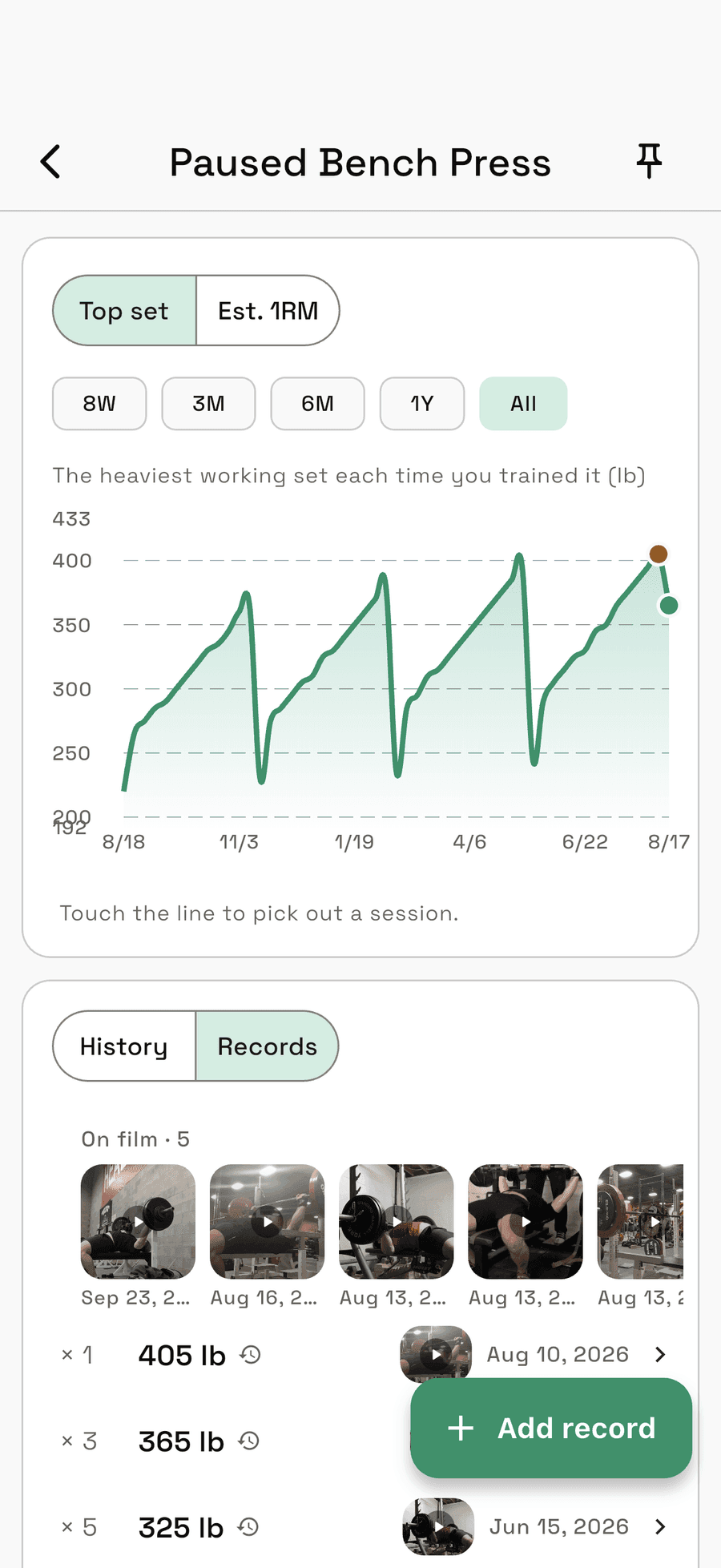
A record book that keeps the whole history, not just your current best, and a chart showing where the number is going.
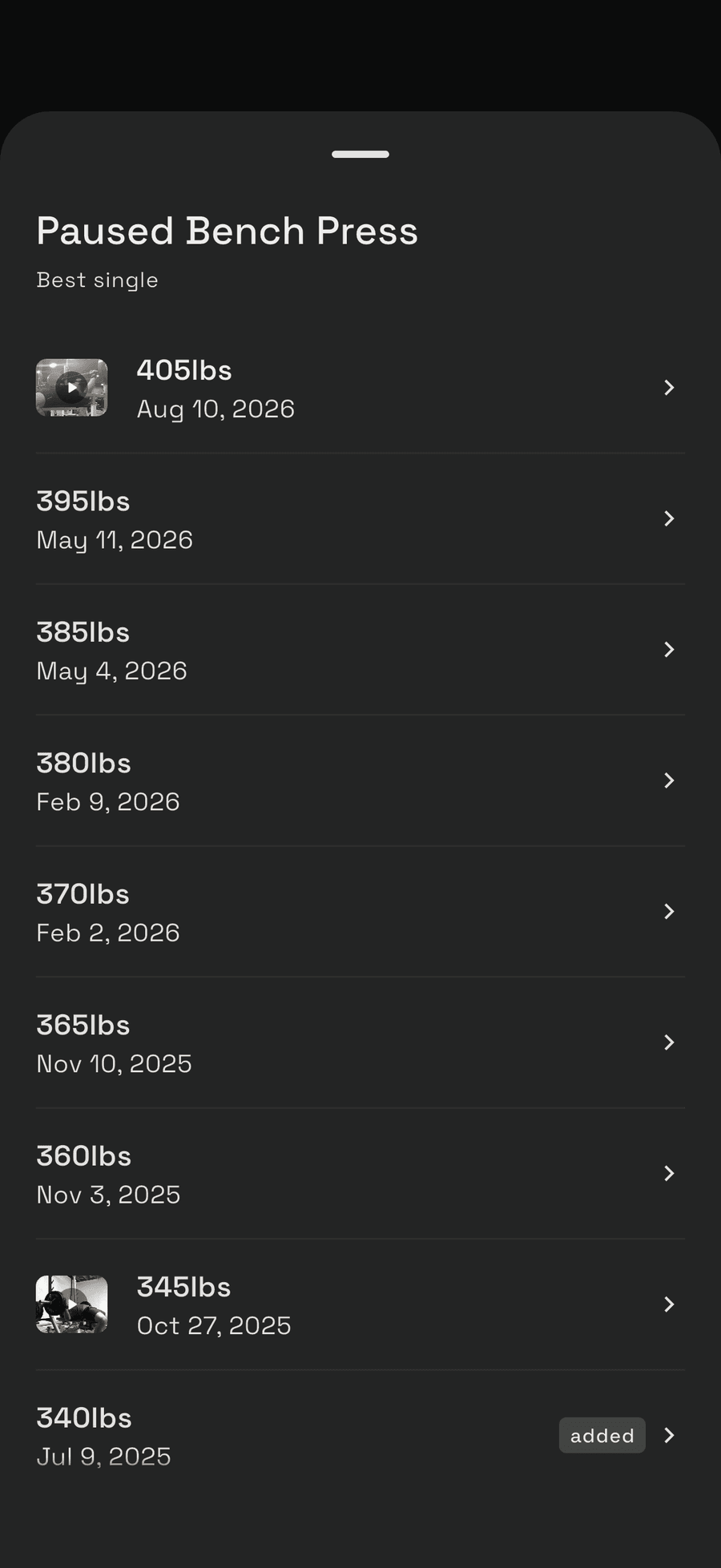
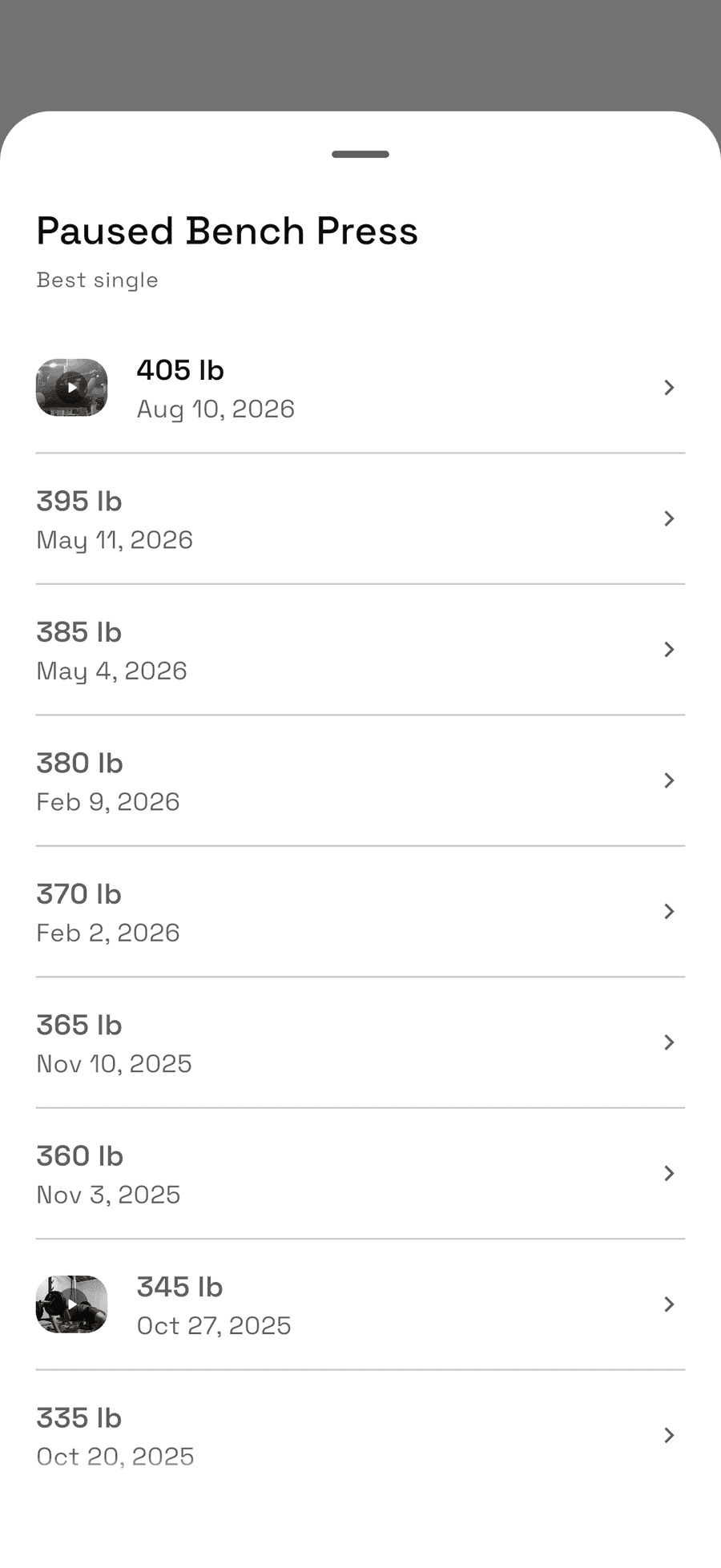
Every rep count, not just the single
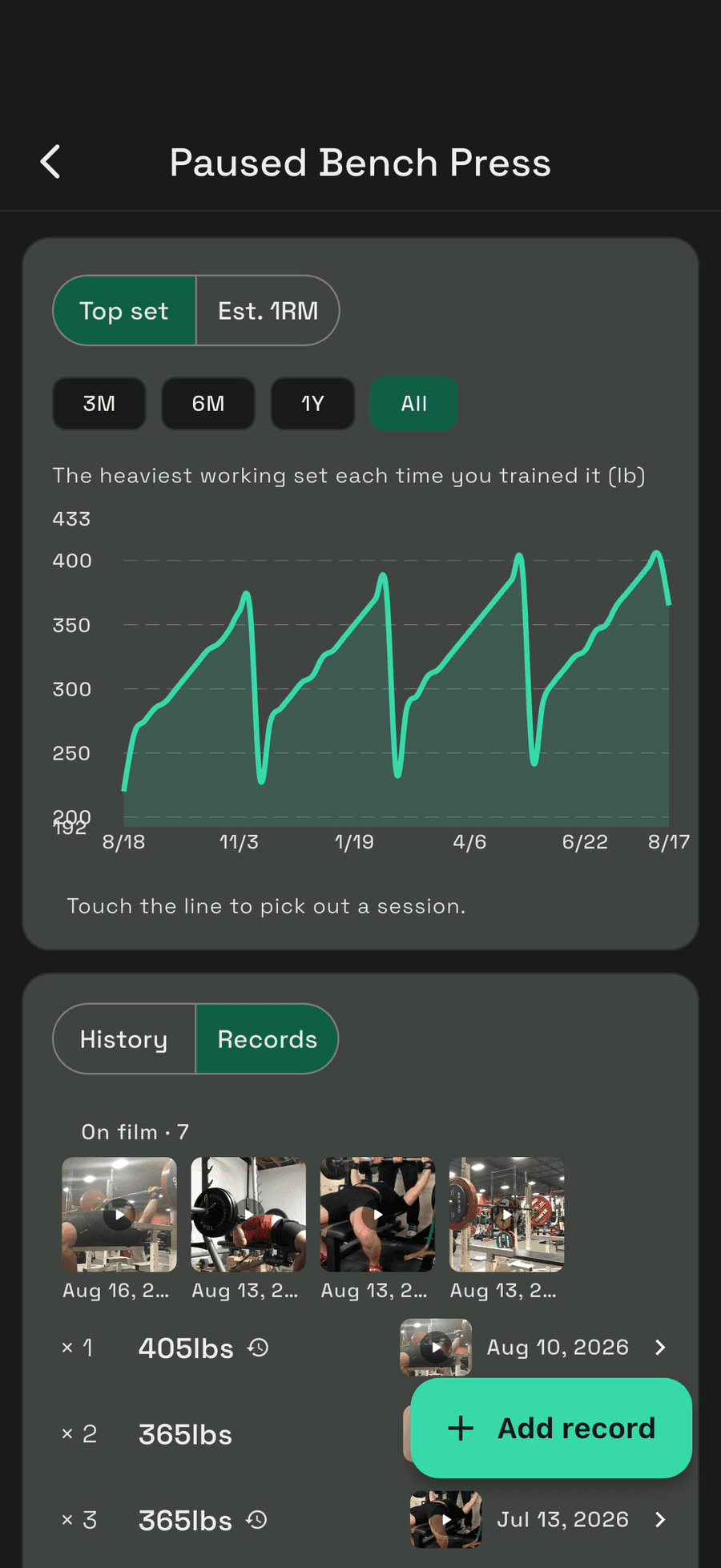
225 for five is its own record, kept next to your best double and your best ten. One line per movement, per rep count. Anything you hit before you found the app can be typed in, and it sits in the same list.
How you got there, not just where you are
Open a rep count and you get every day the record moved. 100 for one was a personal best for the three days before the 105, and that still counts for something. Each entry opens the session it came from, or the clip if you filmed it.
Top set and estimated 1RM
Chart the heaviest working set from each session, or switch to an estimated one-rep max that reads across rep ranges and takes your logged RPE into account. Three months, six, a year, or everything. Touch the line to open that session.
The estimate is a stat, not a record. Nothing gets awarded off a number you didn't lift.
Programs
Early accessRun a block, not just a workout
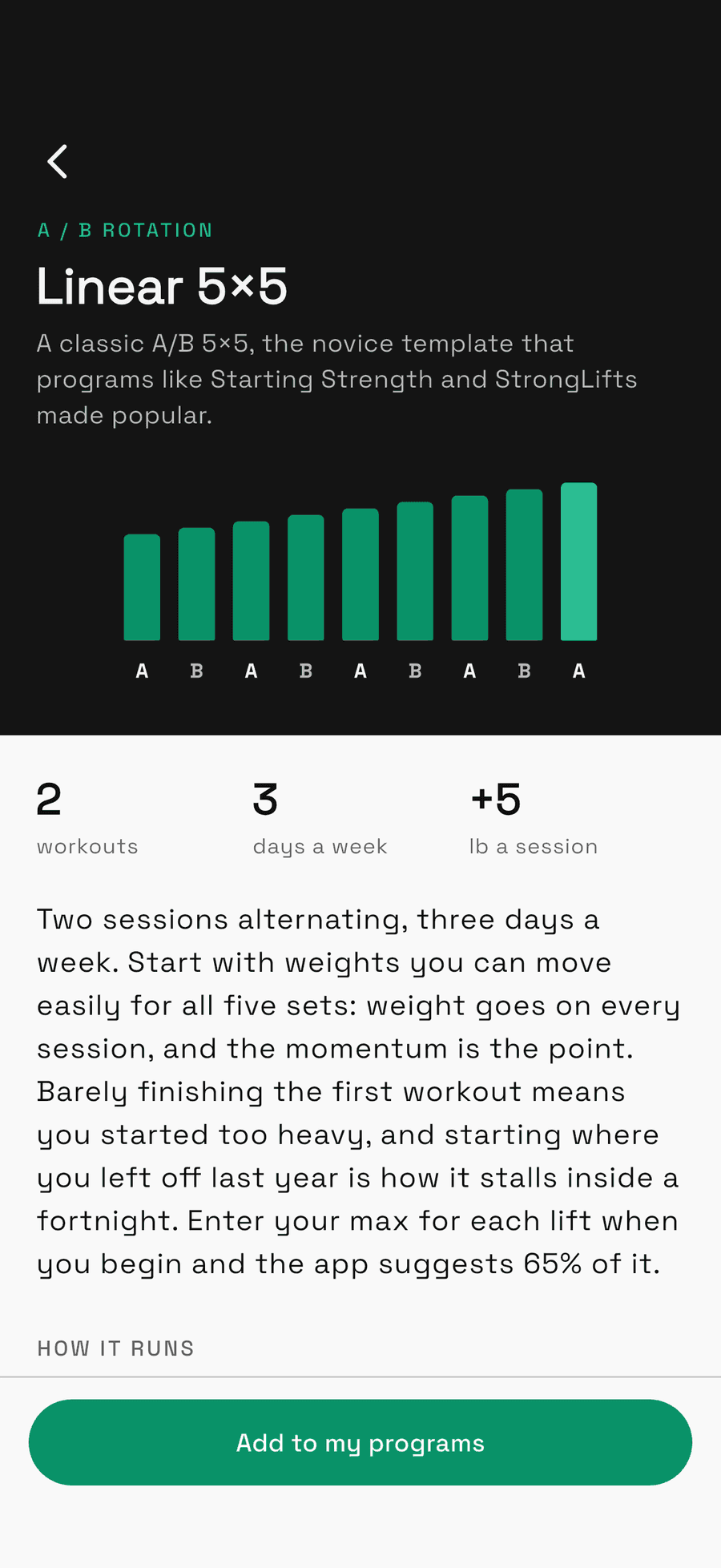
Multi-week programs: the days, the movements, and how the weights move as you go. Start from a known one, or write your own.
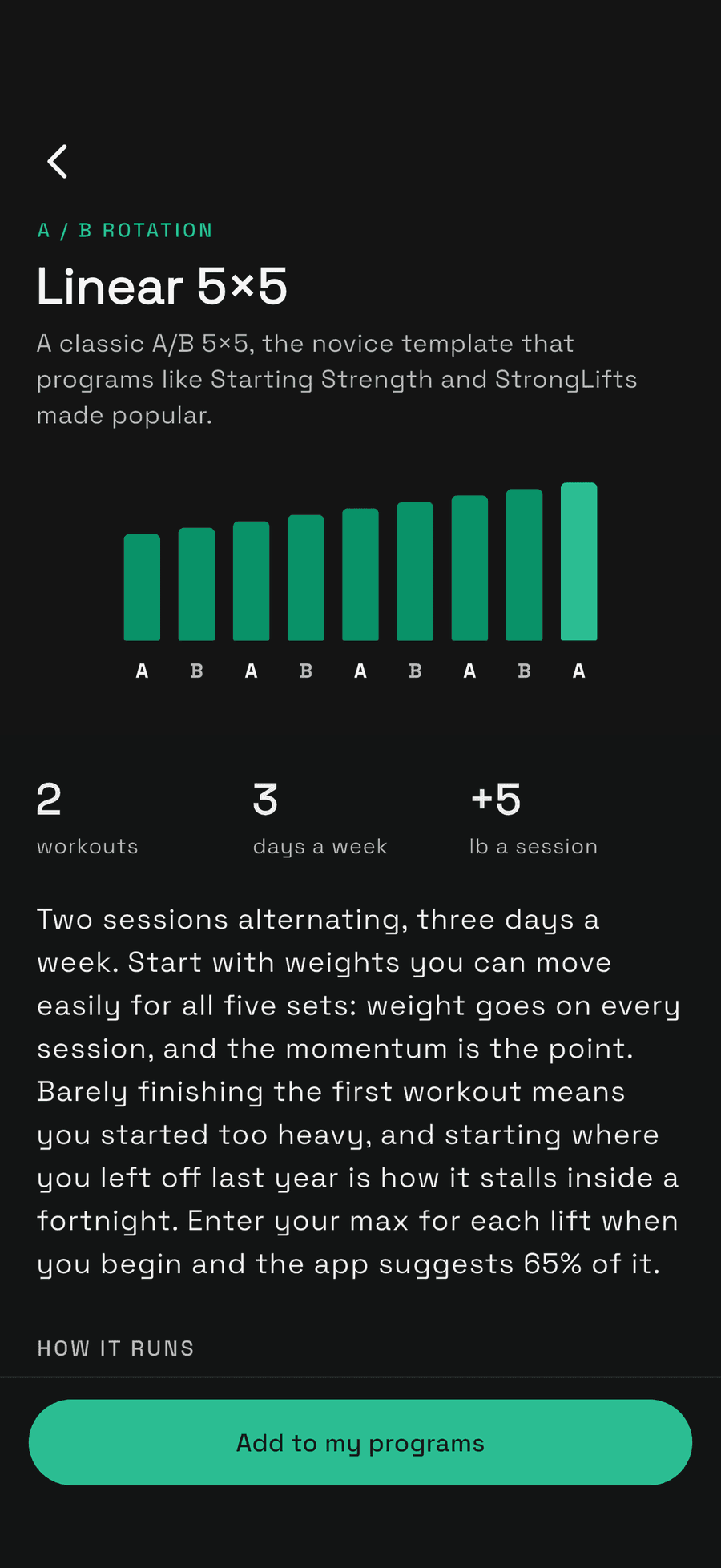
A/B rotation
Linear 5×5
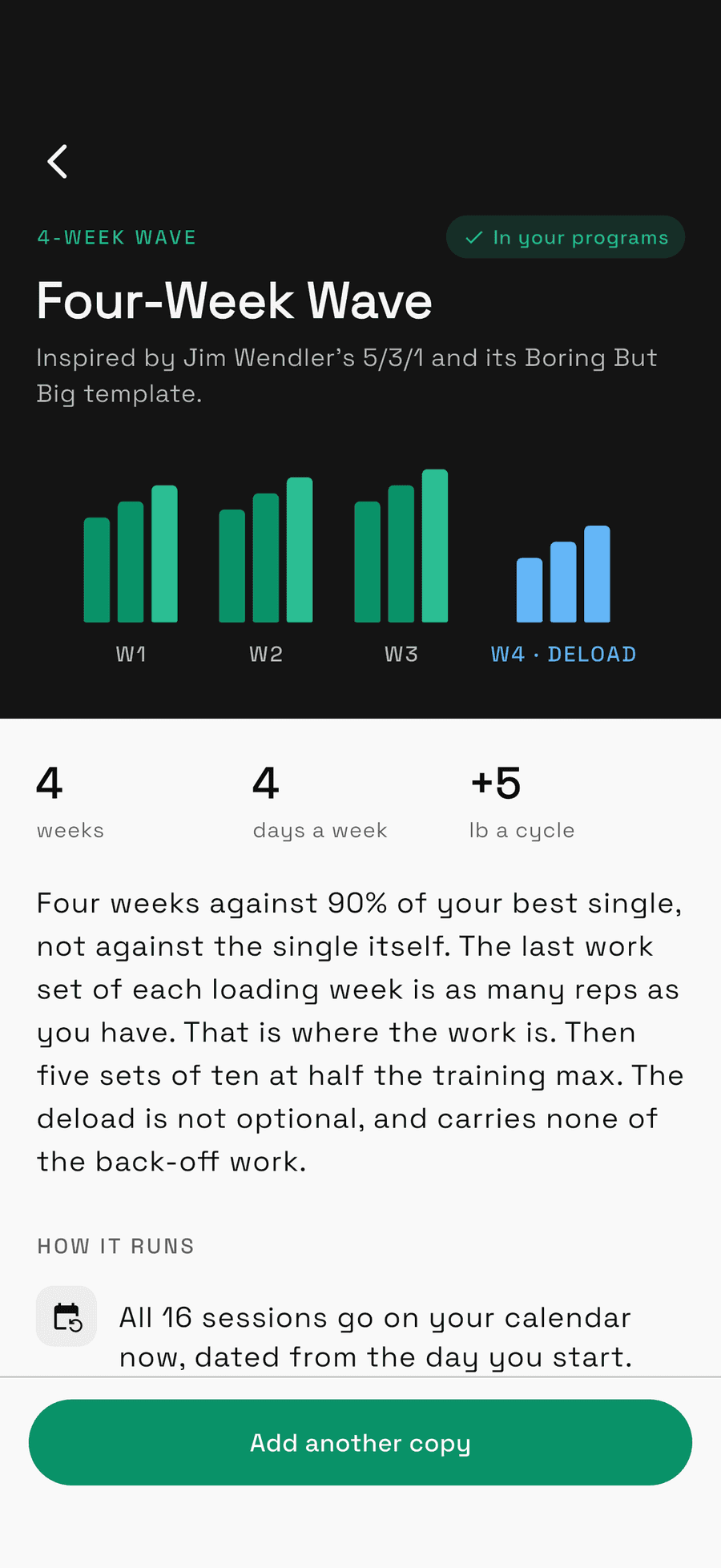
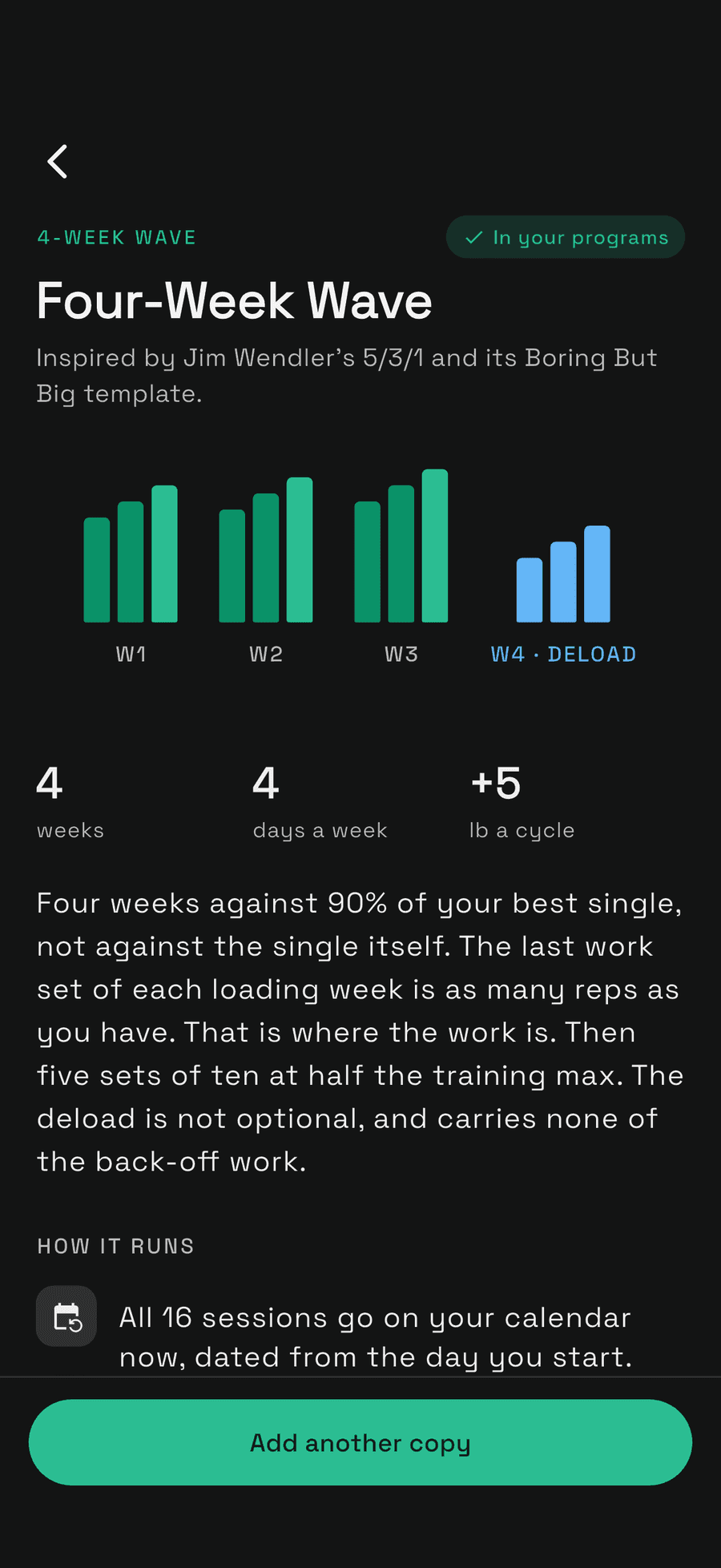
4-week wave
Four-Week Wave
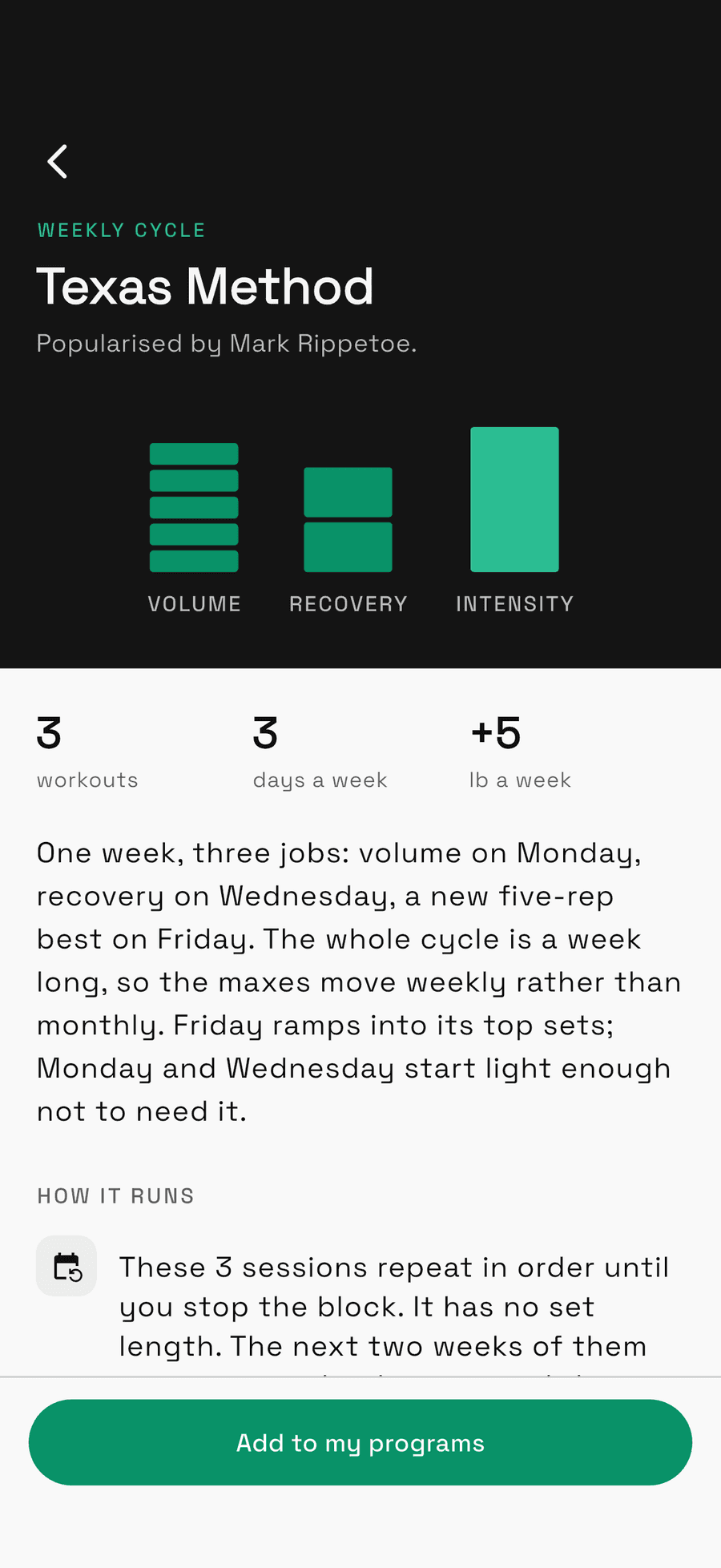
Weekly cycle
Texas Method
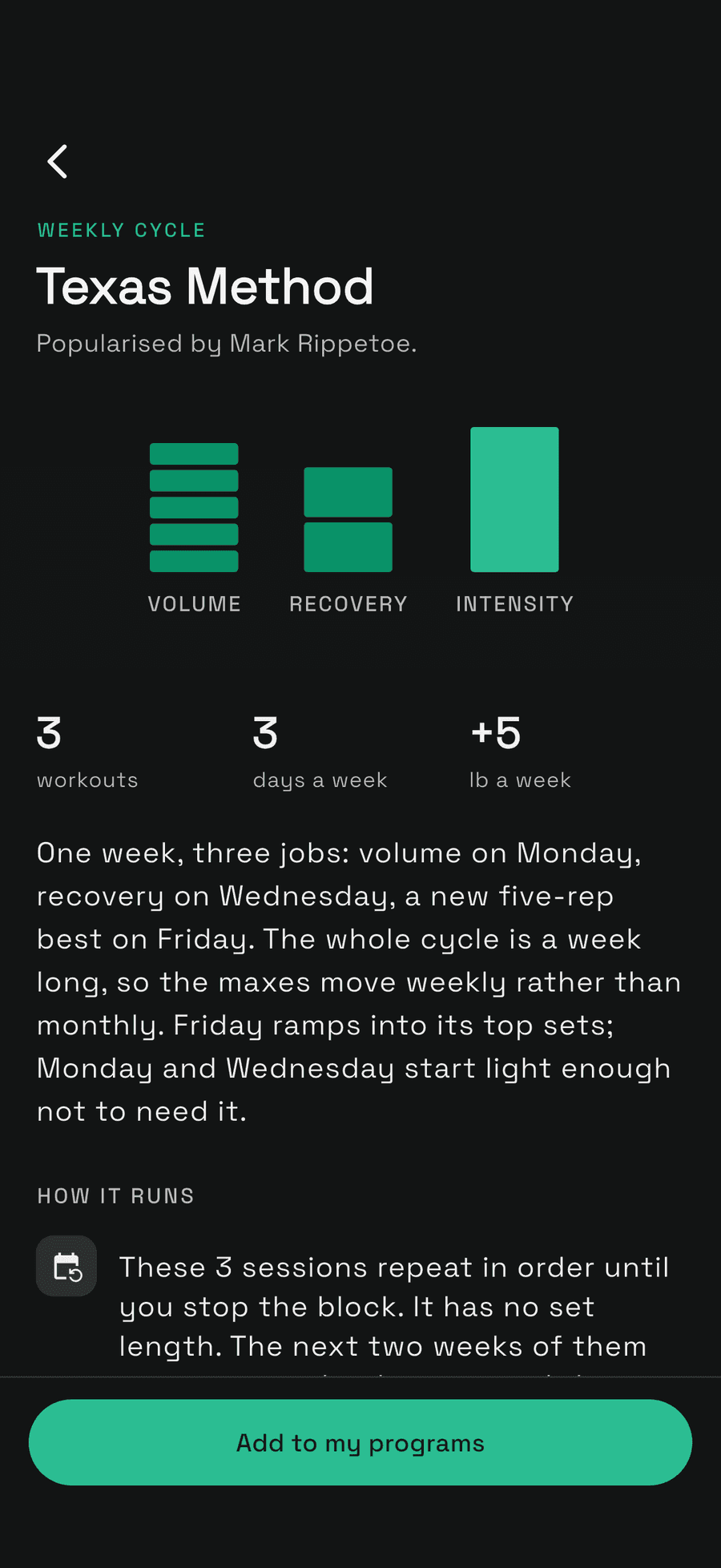
Start from one that works
Linear 5×5, Four-Week Wave and Texas Method, ready to run. Each one is yours once it's added, so change anything you like.
Percentages that stay true
Write loads as a percentage of a training max. Raise the max and every session still to come reprices itself. Nothing is priced off a number that moves every workout.
On your calendar, on your say-so
Sessions land on the days you train. Miss one and Unrack asks: log it, move the block, or skip it. Nothing slides on its own.
Progression that keeps up
The block advances as you log it. A lift that stalls backs off instead of grinding, and a session you edit by hand stays the way you left it.
Build your own
Your program, written your way
A plan from your coach, a meet peak, or the block you've been running from memory. The three built in are made with the same builder, so any of them can be where yours starts.
- 01
Lay out the weeks
Start with a week and add the days you train. Then duplicate it and change the numbers, which is how a percentage block actually gets written. Name each week, and mark the deload so it doesn't count as a stall.
- 02
Write each day
A day opens in the same editor you log workouts in: the same exercises, sets, supersets, rep ranges and AMRAP sets. Put loads in as a percentage of your training max and Unrack works out the weight.
- 03
Choose how it moves
Run it once as a fixed block, or let it repeat as a rotation. The weights can stay as written, go up with your training max each cycle, or go up every session and back off when a lift stalls.
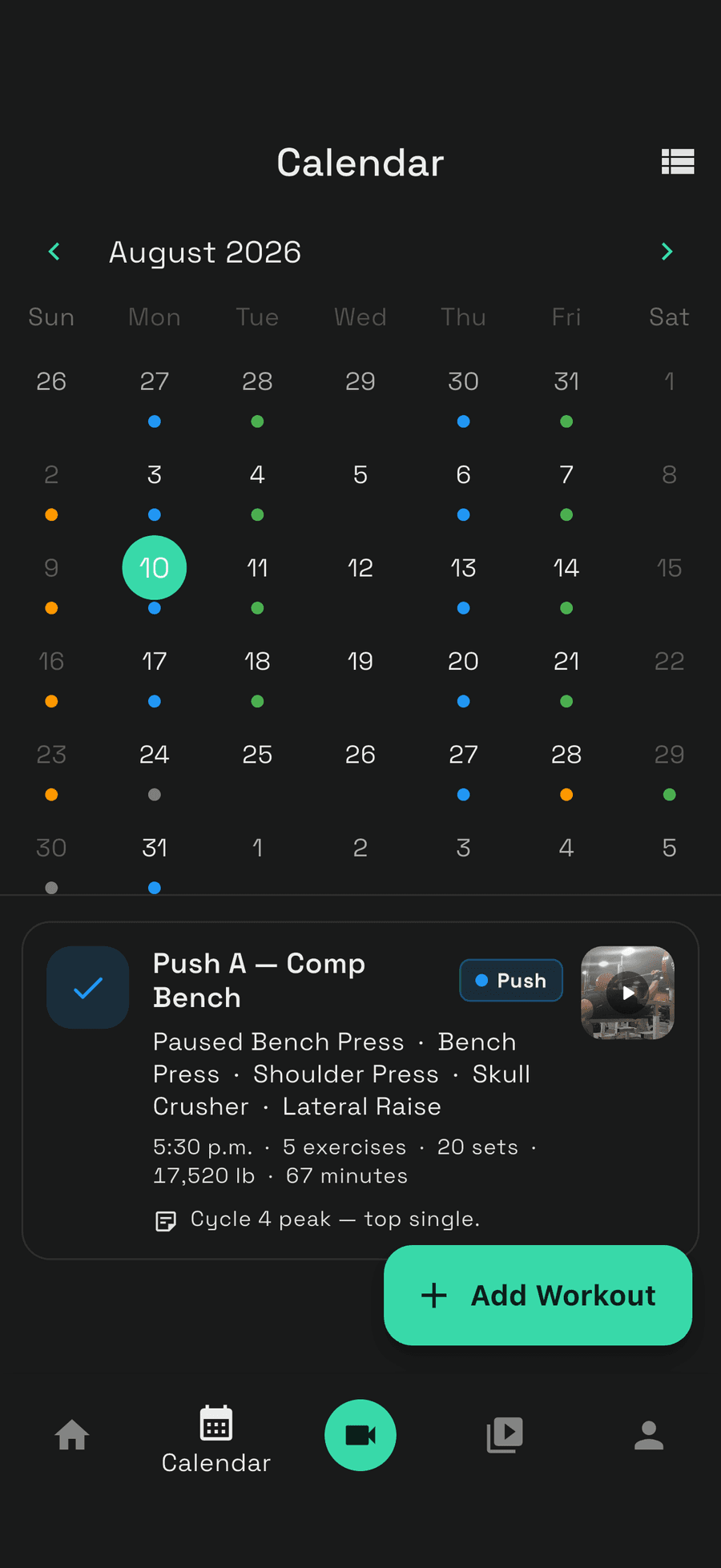
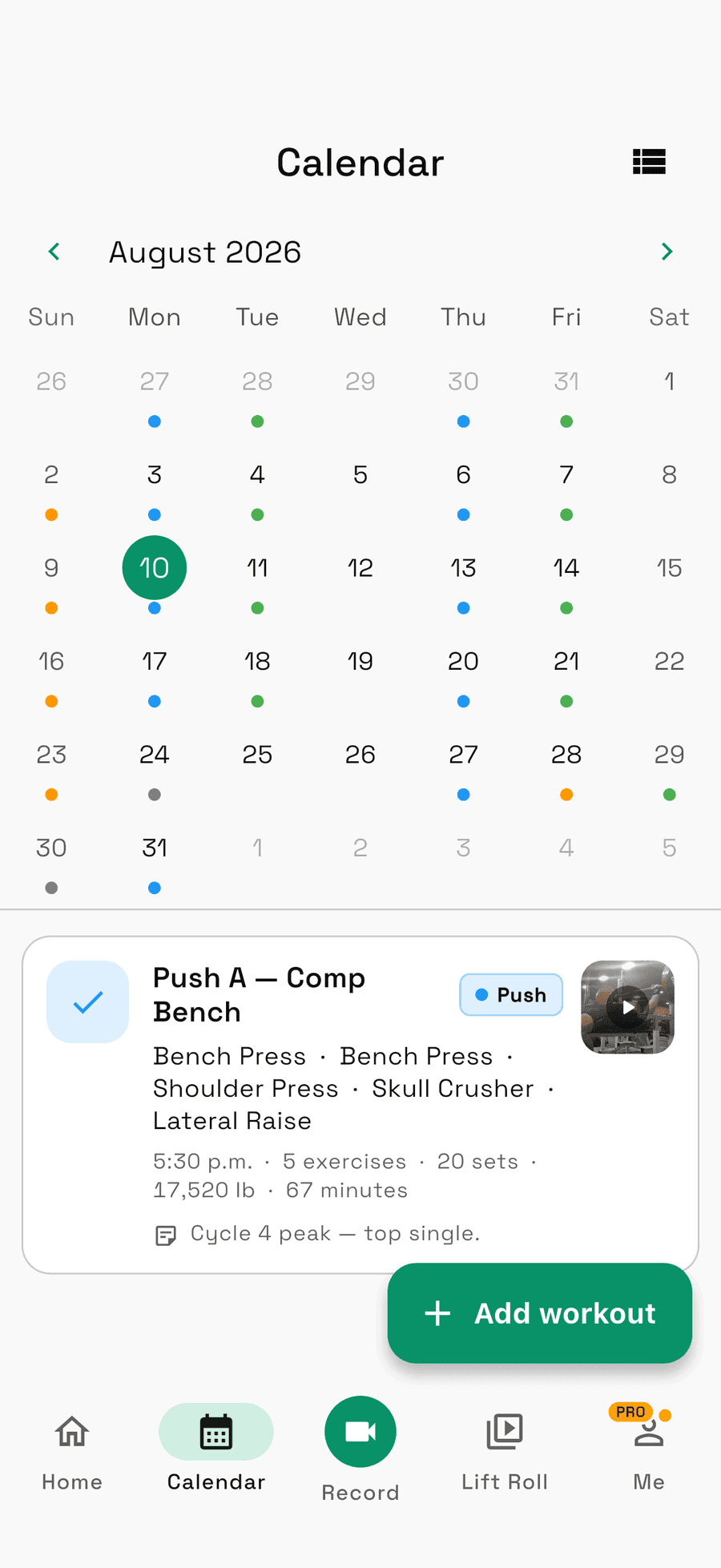
A look inside
Every rep you've filmed, in one place
Sorted by exercise, not by date. Each clip carries its numbers, and any two line up side by side.
FAQ
Questions, answered
How is Unrack different from Strong or Hevy?
Those log your numbers in a row. Unrack logs the set as a video with the numbers welded on. Weight, reps, RPE and date live with the clip, not in a separate table.
I already track in Strong or Hevy. Can I bring my history over?
Yes, and it takes one round trip: export your data from Hevy or Strong, then import that file into Unrack. Exercises, sets, reps and dates all come across, so you start with your history intact instead of an empty app.
Can Unrack track my bar path?
Yes. Open a clip and tap Bar path. Unrack looks for the plate itself, and when it is sure, it starts tracking on its own; otherwise tap the centre of a plate once. It follows the plate through the whole clip and draws the path over the footage, in step with playback, red where the bar slowed and gold where it moved fastest. Every rep gets its range of motion, bar speed, and how long it took to lower and drive, and you can share the path as a card. Track sets at a few different weights and it estimates your max from bar speed. Unrack films at 60 fps where your phone allows it, which is what lets it show peak speed and power too. Phone video reads speed a little high, so compare your own clips filmed from the same spot rather than against a sensor. Your first traced clip is free; every one after it is part of Unrack Pro.
Where do my videos go?
Into your Lift Roll inside Unrack, never your camera roll. Filming a set is how you log it, so the footage stays bound to the lift instead of scattered across your phone.
Can I get my videos and data back out?
Any time. Unrack exports both your workout data and your actual video files, so nothing you record is trapped in the app. Your lifts live here because that's where they're useful, not because you can't leave.
Can I compare two lifts side by side?
Yes. Pull up any two clips of the same movement, even ones months apart, and link them so they run as one, lined up from the point you mark Start here on each. Portrait stacks them, landscape puts them side by side, and each clip keeps its own controls when you'd rather drive them separately.
What does Analyze mode do?
It turns the player into a review tool. Step through a rep a frame at a time, drop the speed to 0.25×, pinch into the sticking point, and draw on the frame: freehand, lines, arrows, boxes, circles, a three-point angle that works out the degrees for you, and a points tool that joins up as many taps as you place against a vertical reference. Five colours, undo and clear. Works on a single clip or on either side of a comparison.
Does Unrack have training programs?
Yes, in early access. Start from Linear 5×5, Four-Week Wave or Texas Method, or build your own: lay out the weeks, write each day in the same editor you log workouts in, and choose whether the weights stay put, climb with your training max each cycle, or climb every session. Loads can be written as a percentage of a training max, sessions land on your calendar on the days you train, and the block advances as you log it. Miss a session and Unrack asks whether to log it, move the block, or skip it.
How does Unrack track personal records?
It detects them from your working sets, and warmups don't count. Records are kept per movement and per rep count, so your best single and your best set of five are separate entries, each with the session and the clip it came from. Anything you hit before you found the app can be typed in and sits in the same book.
Does Unrack estimate my one-rep max?
Yes. Every movement charts either its top working set or an estimated 1RM that reads across rep ranges and takes your logged RPE into account, over three months, six months, a year, or your whole history. The estimate is a stat, not a record. Nothing is awarded off a number you didn't lift.
Is there a rest timer?
Yes, and it goes off. Give a set its own rest or set one default for everything. It counts down to the mark and then keeps counting, so being a minute late reads +1:00 instead of a frozen 0:00. The alert is scheduled with your phone rather than the app, so it fires with the screen off and the phone in your pocket.
Is Unrack free?
Free to start. Film sets, build your Lift Roll, and track your numbers without paying anything.
What do founding members get?
A year of Unrack Pro, free. The first 1,000 people to create an Unrack account get Pro at no cost for a full year, starting at launch, or the day you create your account if that's later. Unrack is launching soon. Join the email list and we'll tell you the moment it's live.
What platforms is Unrack on?
Both. Unrack is launching on the App Store and Google Play, as a native app on each.
Founding members
Launching soon
Film your next set. Unrack keeps the video and the numbers as one thing, from the very first rep.
a year of Unrack Pro, free for the first 1,000 people to create an Unrack account. Unrack is launching soon. Get on the list and we'll tell you the moment it's live.